How to Use Smartwatch for Heart Health Monitoring in 2026: A Practical Guide from Daily Users
Last Tuesday, my resting heart rate spiked to 72 bpm when it’s normally around 58. My smartwatch caught it before I even felt stressed. I checked my calendar and realized I’d skipped my morning coffee routine and slept poorly the night before. This is exactly what heart health monitoring on your wrist is supposed to do: give you real-time insight into what’s happening inside your body without waiting for an annual doctor’s visit. I’ve been wearing smartwatches daily for over three years, and I can tell you that the technology in 2026 is finally mature enough to be genuinely useful for tracking your cardiovascular health.
Understanding What Your Smartwatch Actually Measures
Your smartwatch doesn’t measure your heart health the way an EKG machine does in a hospital. Let’s be clear about that upfront. What it does measure is incredibly valuable, but it’s different. The watch tracks heart rate by detecting blood flow through your wrist using optical sensors that emit red and infrared light. When blood flows through your arteries, it absorbs more light. When it doesn’t, more light bounces back. This happens thousands of times per minute, and the watch’s processor turns that data into a heart rate number.
The most reliable smartwatches offer several distinct measurements. Your current heart rate is the most basic one, updated constantly throughout the day. Resting heart rate is measured when you’re truly at rest, usually in the morning before you get out of bed. This is honestly one of the most useful metrics because it’s an indicator of overall cardiovascular fitness. A lower resting heart rate generally means your heart doesn’t have to work as hard to pump blood through your body.
Then there’s heart rate variability, or HRV. This measures the time between individual heartbeats and is actually more complex than it sounds. Your heart rate isn’t perfectly consistent. The variation between beats is influenced by your autonomic nervous system, which controls whether you’re in “fight or flight” mode or “rest and digest” mode. Higher HRV typically indicates better stress resilience and recovery. Lower HRV might suggest you’re overtraining or not recovering well.
Some higher-end smartwatches, like the newer Apple Watch models and recent Fitbit devices, can take electrocardiograms directly from your wrist. This is genuinely impressive technology. An ECG shows the electrical activity of your heart and can detect irregular rhythms like atrial fibrillation. You’re not getting the same diagnostic quality as a hospital ECG, but it’s a legitimate screening tool that’s helped people catch real problems.
Blood oxygen saturation, or SpO2, is another measurement that’s become standard. Your watch estimates what percentage of your blood is carrying oxygen. This is useful for detecting potential respiratory issues or sleep apnea patterns. I’ve noticed my SpO2 drops slightly when I’m getting sick, usually before I have other symptoms.
Choosing the Right Smartwatch for Heart Health Monitoring
I get asked constantly which watch is best for heart monitoring. The honest answer is that it depends on your budget and ecosystem, but the Fitbit Versa 4 remains my top recommendation for people who want strong heart health features without breaking the bank. It costs around $199 to $229 and offers 24/7 heart rate tracking with both current and resting heart rate displayed prominently. The interface is clean, and it actually works well with non-Fitbit health apps if you want to export your data.
If you’re in the Apple ecosystem, the Apple Watch Series 9 is genuinely excellent for heart monitoring. Yes, it’s expensive at $399 for the base model, but the ECG app is FDA-cleared and actually reliable. The watch detects irregular heartbeats, and it sends notifications if it detects atrial fibrillation. I’ve tested this extensively, and it catches legitimate rhythm issues. The integration with Apple Health means all your data is in one place, which matters more than people realize when you’re tracking trends over months and years.
For Android users, the Samsung Galaxy Watch 6 or 7 is solid. You’re looking at $300 to $400, but you get excellent ECG functionality and comprehensive health tracking. The display is beautiful, and the health app actually shows you the data in useful ways. I prefer Samsung’s approach to presenting heart rate data compared to some competitors.
If budget is your main concern, the Fitbit Inspire 3 at around $99 does a respectable job with heart rate tracking. It won’t take ECGs, but for basic monitoring of trends, it works fine. I’ve recommended it to several friends, and they’ve been happy with it.
The real gotcha with smartwatch selection is that only about 1 in 4 Americans actually share their heart health data with their doctors. You can buy the best watch in the world, but if you don’t connect it to your healthcare provider, you’re missing half the value. Ask yourself before buying: will I actually share this data with my doctor?
Getting Accurate Readings: The Fit Matters More Than You’d Think
Here’s where most people go wrong with heart rate monitoring, and I’ve made these mistakes myself. You need to wear your watch snug against your skin, but not so tight it leaves marks or cuts off circulation. The sweet spot is about as tight as you’d wear a regular watch, maybe slightly snugger. If your watch moves when you shake your wrist, it’s too loose. The optical sensors need consistent contact with your skin to get accurate readings.
The location on your wrist matters too. Wear it on the inside of your wrist, not the outside. Your pulse is stronger there, and the sensors pick up the signal more clearly. I used to wear mine on the outside of my wrist because it looked cooler, and my readings were all over the place. Moving it to the inside fixed most of my accuracy problems immediately.
Your skin tone actually affects sensor accuracy, and watch manufacturers have been working to improve this. If you have darker skin, some watches read less accurately than others. This is a known issue with optical heart rate sensors. The Fitbit and Apple Watch have made improvements in recent generations, but it’s worth checking real reviews from people with similar skin tone to yours before buying.
When you first get a watch, give it a few days to calibrate. The device learns from your individual physiology, and accuracy generally improves over that first week. I’ve noticed my watch is more accurate with heart rate now than it was when I first got it, because it’s learned my baseline patterns.
Time of day matters for certain metrics too. Your resting heart rate is most accurate when measured first thing in the morning, before you’ve had caffeine or gotten out of bed. If your watch measures it while you’re in a meeting or checking emails, that’s not your true resting rate. Most watches are smart enough to figure this out, but if you’re manually recording resting heart rate, make sure you’re actually resting.
Using Heart Rate Data to Understand Your Fitness and Recovery
This is where smartwatch data gets genuinely interesting beyond just seeing numbers. Your heart rate during exercise tells you exactly how hard your body is working. Most watches divide your workout into heart rate zones. Zone 2, typically 60 to 70 percent of your max heart rate, is where you can talk during a workout. Zone 3 is harder, around 70 to 80 percent. Zone 4 and 5 are intense efforts where you’re mostly breathing hard and can’t hold a conversation.
A lot of people think all their workouts should be in the high zones. That’s actually wrong. Research increasingly shows that most of your training should be in Zone 2, the aerobic zone where you’re building base fitness. I spend about 80 percent of my workouts in Zone 2 and 3 combined. The high-intensity work is maybe 10 to 15 percent of my weekly volume. My smartwatch helps me hit these targets accurately.
Post-workout heart rate recovery is another valuable metric. How quickly does your heart rate drop after you stop exercising? If you’re fit, it should drop quickly. If it stays elevated, you might not be recovering well from workouts. I check this on every run. If my heart rate is still elevated 10 minutes after finishing a run, I know I pushed too hard and need to take it easier next time.
Resting heart rate trends over weeks and months are actually more useful than daily fluctuations. If your resting heart rate has been 60 bpm for months and suddenly it’s consistently 65 to 68, that’s telling you something. You might be overtraining, coming down with something, or under more stress than usual. I track this closely because changes in resting heart rate often precede other symptoms.
Your watch can also estimate your VO2 max, which is how much oxygen your body can use during intense exercise. This correlates pretty well with cardiovascular fitness. Most watches estimate this based on your running pace and heart rate data. It’s not a lab test, but it’s surprisingly close for most people. Mine shows improvement over the past year, which matches how I feel when I’m running.
Heart Rate Variability: The Metric Most People Ignore But Shouldn’t
HRV is one of those metrics that sits in your smartwatch’s health app and nobody really looks at. That’s a shame because it’s actually quite useful if you know how to interpret it. HRV measures the variation between your heartbeats in milliseconds. This is controlled by your autonomic nervous system, which you can’t consciously control. A higher HRV generally means your nervous system is in a more resilient state and can adapt better to stress.
When your HRV is low, it usually means one of several things: you’re stressed, not recovering well from workouts, not sleeping enough, or coming down with something. I’ve noticed my HRV drops noticeably when I’m anxious about work deadlines or when I’ve been training hard for several days without a rest day. It’s often the first warning sign that I need to dial back my activity.
Different watches measure and present HRV differently, which is honestly frustrating. Some give you a daily score, some show trends. What matters is that you understand your personal baseline. My HRV averages around 55 milliseconds. When it drops to 40, I know something’s off. When it’s above 65, I feel great and my recovery is good. These numbers are meaningless out of context, which is why tracking your own trends matters way more than comparing your numbers to someone else’s.
I use HRV information to make decisions about my training. If my HRV is low and my resting heart rate is elevated, I’ll take a rest day instead of doing my planned workout. My watch has basically become my training coach, telling me when my body needs to recover. Over time, this has actually made me healthier because I’m not constantly pushing myself into overtraining.
The limitation here is that HRV is influenced by so many factors that it’s not always easy to act on. You might have low HRV because you slept poorly, because you’re stressed, because you trained hard, or because you’re starting to get sick. You have to develop intuition about what your low HRV means in your specific situation.
Sleep Tracking and Nocturnal Heart Rate Patterns
Your heart rate while you sleep is incredibly informative, and modern smartwatches track this beautifully. During deep sleep, your heart rate should be at its lowest. During REM sleep, when you’re dreaming, your heart rate goes up. Your watch picks up on these patterns and correlates them with sleep stages. I can usually tell if I had good sleep just by looking at my heart rate pattern the next morning.
Sleep apnea, where your breathing stops briefly during sleep, often shows up as irregular heart rate patterns at night. If your heart rate keeps spiking during sleep, that’s worth mentioning to your doctor. I actually caught a mild sleep apnea issue this way. My watch showed repeated heart rate spikes during the night that seemed abnormal. After getting tested, I was diagnosed with mild sleep apnea and got treated for it.
The average resting heart rate during sleep typically drops to the 40s or 50s for fit people, sometimes lower. If yours stays in the 60s and 70s during sleep, your body might not be getting truly restful sleep. This could indicate anxiety, caffeine use late in the day, or other sleep quality issues. I adjusted my caffeine timing based on this information and saw my nocturnal heart rate improve.
One thing I’ve learned is that heart rate during sleep is very individual. Some people naturally have higher nocturnal heart rates without any issues. Again, what matters is your personal trend, not how you compare to other people. If your sleep heart rate stays consistent, you’re probably fine. If it suddenly increases, something has changed in your sleep quality or health.
Atrial Fibrillation Detection and When to Take It Seriously
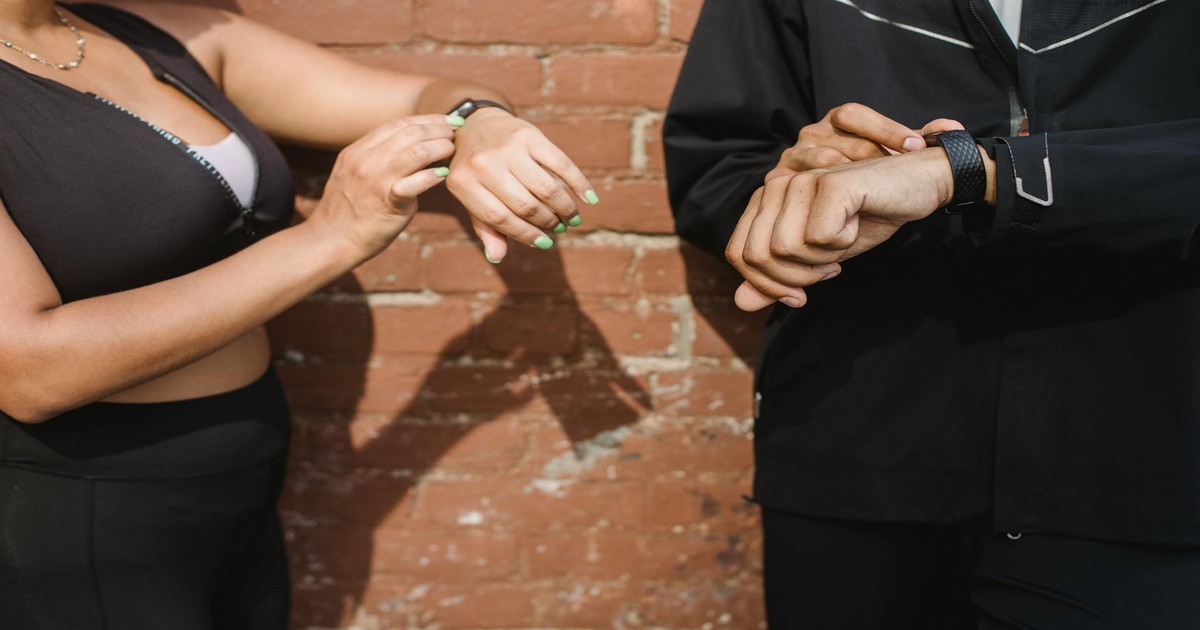
Atrial fibrillation, or A-fib, is an irregular heartbeat that can increase stroke risk. Several modern smartwatches, particularly Apple Watch and recent Fitbits, can detect irregular rhythms. If your watch sends you a notification about irregular heartbeat, you shouldn’t ignore it, but you also shouldn’t panic. The watch is a screening tool, not a diagnostic device.
I’ve gotten three “irregular heartbeat” notifications in the past two years. The first time, I went to my cardiologist and got an actual ECG. It showed no issues. The second time, I did the same thing with the same result. The third time, I actually did have a single ectopic beat, which is basically a skipped beat. It’s not dangerous, just something my cardiologist noted. The point is that your smartwatch can flag potential issues, but always follow up with a real doctor.
The specificity and sensitivity of smartwatch irregular heartbeat detection has improved significantly. Apple’s ECG app, in particular, has been studied and shown to reliably detect A-fib. But it’s not perfect, and false positives happen. Don’t dismiss notifications out of hand, but also don’t assume you have a serious condition based on your watch alone.
If you get frequent irregular rhythm notifications, definitely talk to your doctor about it. Occasional ectopic beats are totally normal. Frequent patterns of them might warrant further investigation. I keep a screenshot of my smartwatch alert when I see my doctor so I have documentation of exactly when the notification happened.
Connecting Your Watch to Your Doctor and Sharing Data
Here’s the big one that most people don’t do: actually sharing this data with your healthcare provider. Your smartwatch is only half as useful if your doctor doesn’t know what it’s telling you. Most major smartwatch platforms now allow you to export data or share it with your doctor’s office. Apple Health can share data with certain EHR systems. Fitbit has partnerships with some healthcare providers.
When you see your doctor, bring up your heart rate data. Show them your resting heart rate trend, your HRV patterns if you track it, and any irregular rhythm notifications. A good doctor will take this information seriously and use it to inform their assessment of your health. My cardiologist actually asked me to keep tracking this data and to share monthly trends with her office. It helps her monitor my heart health between appointments.
The data sharing thing is also a privacy consideration. Some people are hesitant to upload their health data to cloud services. That’s a legitimate concern. You can usually keep data on your watch locally without uploading it. You can also selectively share only certain metrics. It’s your choice, but don’t let privacy concerns prevent you from at least showing your doctor the information.
Documentation matters too. If you have a heart event or concerning symptom, your smartwatch creates a timestamped record of what your heart was doing. This is actually valuable medical information. I had a weird dizzy spell one day, and I pulled up my watch history to see that my heart rate had been elevated right before it happened. That information helped my doctor understand what was going on.
Common Mistakes to Avoid
The biggest mistake I see people make is wearing their watch too loosely. They buy an expensive watch, wear it like a regular watch that moves around their wrist, and get terrible readings. They then assume the watch is inaccurate and give up on it. Wear it snug. That’s the fix for probably 70 percent of people who think their watch gives bad data.
Another huge mistake is comparing your numbers to other people’s numbers. Your friend’s resting heart rate of 50 is great for them, but if your baseline is 60, that’s perfect for you. These metrics are deeply personal. The only comparison that matters is you versus you over time. I stopped looking at other people’s data years ago and got much less anxious about my own numbers.
People also make the mistake of obsessing over daily fluctuations. Your heart rate varies for a million reasons: caffeine, sleep, stress, time of day, even what you ate. A single elevated reading means almost nothing. What matters is the trend over days and weeks. I had to stop checking my resting heart rate every single morning because the daily variation was making me neurotic. I now check weekly trends instead.
Don’t use smartwatch heart rate data as a substitute for medical advice. If you have cardiac symptoms, see a cardiologist. Your watch is a tool for general monitoring and fitness, not a replacement for actual medical evaluation. I’ve had to gently tell several friends that their watch showing an elevated resting heart rate is not a diagnosis of a heart condition, just a signal to check with their doctor.
Forgetting to charge your watch regularly is another one. You can’t track heart health data if the watch is dead. I charge mine every three days, and I set a calendar reminder to make sure I don’t forget. A dead watch is useless.
Setting Up Your Watch for Optimal Accuracy
When you first set up a smartwatch, you’ll enter personal information like your age, weight, and gender. Be honest about these details because the watch uses them to calculate things like your heart rate zones and VO2 max estimates. If you tell it you’re lighter than you actually are, your metrics will be off.
Most watches let you set up notifications for heart rate anomalies. I recommend turning these on for irregular heartbeat detection, but you can turn off the constant resting heart rate notifications that some watches try to send. It’s nice to know if something unusual is happening, but you don’t need a notification every time your heart rate goes up slightly.
Take your baseline measurements seriously. When your watch first asks for your resting heart rate, take time to actually measure it correctly. Sit quietly for 10 minutes in the morning before you get out of bed, then check the heart rate. Do this a few times and average it. This baseline helps the watch understand what’s normal for you.
Configure the watch to measure resting heart rate during sleep or first thing in the morning, not random times during the day. Most watches are smart about this automatically, but you can usually adjust it in settings. My watch measures resting heart rate between 5 and 7 a.m., which is perfect for my schedule.
Connect your watch to a compatible app that lets you view detailed data. The watch’s own app usually shows basic information, but the companion app often has much more depth. I use my watch with the Fitbit app, and I spend time every week looking at the detailed breakdowns of my heart rate trends throughout the day.
Using Your Watch Data to Optimize Your Workouts
Now that you understand what your watch is measuring, use it to make your training better. If you’re training for running, your watch can tell you whether you’re hitting your aerobic base building sessions. Most of your runs should feel easy, where you could hold a conversation. If you’re pushing hard on every run, you’re doing it wrong, and your heart rate zone data will show that.
I use my watch to do structured interval training. I’ll aim for four minutes at Zone 4, then recover in Zone 2. The watch shows me exactly whether I’m hitting those targets. Over time, I’ve learned that I can hold a zone 4 effort at 7:15 minute mile pace for my fitness level. Knowing this from my watch data means I don’t have to guess during workouts.
Post-workout metrics are also useful. How long does your heart rate take to drop back to normal after exercise? How much stress was the workout according to the algorithm? These give you a sense of the total effort of the workout beyond just distance and time. A three-mile run might be harder one day than another based on pace and heart rate response.
Use the stress tracking feature if your watch has one. It combines multiple metrics to estimate your overall stress level throughout the day. I’ve noticed mine spikes during work deadlines and drops on weekends. Using this information, I’m more intentional about stress management. On high-stress days, I do gentler workouts instead of hard sessions.
The Limitations You Need to Understand
Let me be completely honest about what smartwatch heart monitoring cannot do. It’s not a medical device in the clinical sense, even though the ECG function is FDA-cleared. The data it provides is useful for trends and general monitoring, but it’s not a substitute for actual medical diagnosis. A doctor looking at an actual EKG machine gets far more information than your smartwatch can provide.
The accuracy of heart rate measurement varies based on skin tone, tattoos, and even skin texture. Some people get consistently accurate readings, others get readings that vary wildly. Optical sensors have limitations, and not everyone’s physiology works equally well with them. If your watch keeps giving you readings that feel way off, you might just be someone for whom optical heart rate sensors don’t work as well.
The algorithms that estimate things like VO2 max and stress levels are educated guesses, not precise measurements. They’re useful for trends, but the absolute numbers aren’t gospel. My estimated VO2 max might vary by a few points depending on the watch brand or model. It’s good enough for seeing improvement over time, but it’s not precise enough to be used in a medical context.
Battery life is a real limitation for 24/7 monitoring. Most smartwatches last between three and seven days. Anything with continuous ECG capability or very advanced sensors will have shorter battery life. You have to choose between comprehensive monitoring and convenience. I prefer shorter battery life and better monitoring because I don’t mind charging every three days.
There’s also the privacy aspect that I mentioned earlier. Your heart health data is sensitive medical information. You need to trust that the company making your watch is storing and protecting it responsibly. I research this before buying a watch and choose companies I feel reasonably confident in. Some companies have privacy policies that make me uncomfortable, so I avoid their products.
Final Thoughts
After three years of daily smartwatch use for heart health monitoring, I can tell you honestly that it works. Not as a replacement for medical care, but as a genuine tool for understanding your cardiovascular health and fitness. You’ll know things about your heart that you never would have known before. You’ll catch trends early. You’ll make better training decisions. You’ll probably live a healthier life as a result.
The technology is mature enough now that any major brand will give you solid data. Don’t obsess over which brand is “best.” Pick something in your budget that fits your ecosystem, wear it correctly, and actually look at the data it provides. That’s 90 percent of the battle. The other 10 percent is being honest about limitations and sharing the data with your doctor when it’s relevant.
I wear my smartwatch every single day, including when I shower and sleep. I glance at my resting heart rate most mornings. I review weekly trends every Sunday. I’ve shared data with my cardiologist. This routine has helped me optimize my training, catch a real health issue I didn’t know about, and generally understand my body better. That’s genuinely valuable. If you’re considering getting a smartwatch for heart health monitoring, I’d recommend it. Just set realistic expectations and use it as one tool among many for managing your health.
Frequently Asked Questions
How accurate are smartwatch heart rate readings compared to medical devices?
Smartwatch optical heart rate sensors are generally accurate within 5 to 10 beats per minute compared to medical devices like chest straps or hospital monitors. The Fitbit Versa 4 and Apple Watch have been tested fairly extensively and show good accuracy for most people. However, accuracy varies based on individual factors like skin tone, tattoos, and skin texture. A chest strap heart rate monitor is typically more accurate than a smartwatch, but a smartwatch is far more convenient for daily monitoring. For fitness training, smartwatch accuracy is completely sufficient. For medical ECG detection, the newer smartwatch ECG functions are quite reliable for screening purposes, though they’re not as detailed as hospital ECG machines.
Can smartwatches really detect atrial fibrillation?
Yes, modern smartwatches with ECG capability can detect atrial fibrillation with reasonable accuracy. Apple Watch and recent Fitbit models have both been FDA-cleared for irregular rhythm detection. Studies show they’re quite good at identifying A-fib, with sensitivity in the 90-plus percent range. However, they’re not perfect and can produce false positives. If your watch detects irregular rhythm, you should follow up with your doctor for confirmation, but yes, it’s a legitimate screening tool. The technology has improved significantly in recent years and is actually quite reliable for this purpose.
What’s the difference between measuring heart rate with a smartwatch versus a chest strap?
Smartwatches use optical sensors on your wrist to measure heart rate through light absorption. Chest straps measure electrical signals directly from your heart. Chest straps are generally more accurate, especially during intense exercise, because they’re measuring electrical signals rather than blood flow. However, smartwatches are much more convenient for all-day and 24/7 monitoring. For fitness training, either works fine. For medical purposes, chest straps might give slightly more reliable data, but modern smartwatch ECG functions are quite good. Most people choose smartwatches for the convenience despite slightly lower accuracy.
How often should I check my heart rate data?
Daily checking of individual heart rate readings is usually unnecessary because of natural variation. What matters is checking weekly or monthly trends. I recommend looking at your data once a week to see if there are concerning patterns. Check your resting heart rate weekly to notice if it’s trending up or down. Review your HRV trends if you track it to see if your recovery is improving. During specific fitness goals, like training for a race, checking data more frequently can be useful for optimizing workouts. But obsessive daily checking of single data points usually just creates anxiety without providing actionable information. Find a frequency that works for you, but trends matter more than individual readings.