Best Health Tracking Apps for iPhone 2026: What Actually Works (And What Doesn’t)
I was standing in my kitchen at 6 AM on a Tuesday, holding my iPhone, staring at three different health apps that all wanted to tell me something different about my sleep. One said I got six hours, another said five and a half. None of them matched what I actually felt. That’s when I realized that after three years of testing AI-powered tools and health apps daily, most people are downloading health apps based on hype, not on whether they’ll actually stick with them. So I decided to write this guide based on what I’ve actually used, what works in real life, and what you should skip entirely.
Why Most People Download Health Apps and Quit Within Two Weeks
The problem isn’t the apps. The problem is that most of us download health tracking apps the same way we buy gym memberships on January 2nd. We’re excited, we’re motivated, and we think an app will solve everything. Then reality hits. You forget to log your workout. You don’t understand why the calorie counter says you ate 2,500 calories when you only ate three meals. The sleep tracker wakes you up with notifications at 3 AM. By week three, the app is sitting on your home screen gathering digital dust.
Here’s what I’ve learned: the best health app isn’t the most feature-rich one. It’s the one you’ll actually use consistently. That means it needs to be simple enough that you don’t need a tutorial, integrated enough with your other tools that it doesn’t feel like extra work, and honest enough that you trust what it’s telling you.
The Apple Fitness+ and Apple Health Ecosystem: Start Here
Let’s start with the obvious choice that everyone overlooks. Apple Fitness+ costs $10 per month, and it’s genuinely good. I’ve been using it for two years, and unlike most subscription fitness services, it actually gets updated with new content regularly. The workouts are 5 to 45 minutes long, covering strength training, yoga, cycling, rowing, walking, dancing, and a few others.
Here’s what makes it different from Peloton (which costs $13 per month and is better for cycling specifically). Fitness+ instructors don’t yell at you. The music doesn’t feel like it was chosen by someone’s dad. The workouts are genuinely varied, and you can filter by duration, intensity, and what equipment you have available. I’ve done hundreds of these workouts, and I’ve probably quit early about fifteen times total.
The real magic is how Fitness+ connects to Apple Health. Every workout automatically logs to your activity rings. Your heart rate data gets recorded. Your move ring fills up. You’re not manually adding data anywhere. Everything just happens. If you have an Apple Watch, this system works even better, but it works fine with just your iPhone.
The honest limitation: Fitness+ is only available in select countries. If you’re in the US, UK, Canada, Australia, or a handful of other places, you’re fine. If you’re anywhere else, you’ll need to look at alternatives.
MyFitnessPal: Still the Calorie Counting Standard, But Only If You’re Committed
I’ve been using MyFitnessPal on and off since 2018, and it’s still the best nutrition tracker if you actually want to track nutrition. The free version gives you basic logging. The premium version ($10 per month) removes ads and gives you macronutrient breakdowns that actually make sense.
Here’s the real situation with MyFitnessPal. The database is massive. You can scan a barcode, and it usually finds the right product. You can type “chicken breast” and find hundreds of options sorted by how many people are using that entry. The interface got redesigned recently and it’s actually pleasant to use now. Your data syncs to Apple Health, so your calorie burn from workouts feeds into the app automatically.
But here’s the thing that stops most people: food logging is tedious. Even with the barcode scanner, you’re spending 2 to 3 minutes per meal if you’re eating anything slightly interesting. Most people I know who used MyFitnessPal stopped after a month because they got tired of logging everything. It works great if you’re meal prepping the same thing five days a week. If you eat differently every day, it’s a pain.
The free version shows you calories and protein. That’s honestly enough for most people. I’d suggest trying it free for two weeks. If you’re not obsessed with macros, the free version is plenty.
MacroFactor: The App That Actually Understands What You’re Eating
MacroFactor costs $10 per month, and it’s the app I actually use for nutrition tracking. It’s different from MyFitnessPal in one important way: it’s genuinely smart about learning your habits. The app uses AI to understand your eating patterns and adjusts recommendations based on what you’re actually doing, not what some generic diet says you should be doing.
The UI is clean. The barcode scanner works. The database is solid. But the real difference is in the algorithm. Instead of just counting calories in and calories out, MacroFactor looks at your trends. If you’ve been consistently undereating protein, it’ll notice and suggest adjusting your meals. If you’re hitting your targets but still gaining weight, it’ll adjust your calorie target based on real data.
I started using MacroFactor about eighteen months ago, and I genuinely stopped thinking about food so much. I stopped obsessing over whether I hit my targets exactly. The app gave me flexibility while keeping me on track. It connects to Apple Health, so all that data syncs automatically.
The downside is that it’s relatively new, so the food database isn’t quite as extensive as MyFitnessPal. Sometimes you have to create custom entries. This happens maybe once every few days for me, but it’s slightly annoying. Also, it’s expensive compared to free calorie counters. If you’re just curious about how many calories you eat, this isn’t for you.
Sleep Tracking: Where Most Apps Actually Fail
I’ve tested seven different sleep tracking apps in the last two years. Here’s the brutal truth: none of them are actually accurate. Not a single one. They’re all guessing based on movement and heart rate. Your iPhone is even worse at this because it can’t detect REM sleep or know if you’re actually sleeping.
AutoSleep costs $2.99 one time, and it’s the least bad sleep app I’ve found. It works better if you have an Apple Watch, which can actually measure heart rate variability and detect movement patterns. If you’re just using your iPhone, AutoSleep will tell you whether you slept six or nine hours, but not much more.
Sleep Cycle costs $3.99 per month or $20 per year. It tracks your sleep and claims to wake you up during light sleep phases so you feel more rested. I’ve used it. Does it work? Maybe. Placebo is powerful, so I can’t tell if I genuinely feel better or if I just think I should feel better because the app says I woke during a light phase.
Here’s my actual recommendation: if you want to track sleep, use whatever app comes with your Apple Watch. If you’re using just an iPhone, don’t bother with sleep tracking at all. The data isn’t reliable enough to make decisions on. Focus on going to bed earlier instead.
Fitness Tracking: Strava for Running and Cycling, Athlytic for Everything Else
Strava is free with a paid tier at $7.99 per month. It’s the de facto standard for runners and cyclists. You open the app, hit start, go for a run, and the app records your distance, pace, heart rate (if you have a compatible device), and elevation. When you finish, you can see your route on a map, share it with friends, and compare it to previous runs on that route.
The social aspect is actually what keeps people using Strava. Seeing your friends’ activities, getting kudos on your runs, participating in monthly challenges. It’s gamification that actually works. The app integrates with Apple Health, so all that data flows in automatically.
Athlytic is the app I use on top of everything else for detailed fitness analysis. It costs $10 per month, and it’s designed specifically for people who care about training metrics. If you have an Apple Watch, Athlytic pulls all your workout data and gives you insights that Apple’s own Health app doesn’t provide. VO2 max trends, training load, recovery time recommendations, heart rate variability.
Here’s the thing about Athlytic: you don’t need it unless you’re genuinely interested in training science. If you just want to know how far you ran, use Strava free. If you want to optimize your training, understand your fitness level, and see your long-term trends, Athlytic is worth the subscription.
Nike Run Club is free and is genuinely excellent if you run in urban areas where GPS is solid. The interface is clean, the audio coaching is good without being obnoxious, and it integrates with Apple Health perfectly. I don’t have strong feelings about preferring it over Strava, but if you’re a Nike brand loyalist, this is better designed than the Nike app that nobody uses.
Peloton App: Great if You Ride, Expensive if You Don’t
Peloton costs $13 per month, and it’s specifically for people who either have a Peloton bike or are doing cycling or running workouts. The classes are filmed from the Peloton studio in New York. The instructors are energetic. The classes are varied.
Here’s the honest assessment: if you love cycling and want live or on-demand classes with instructors who will motivate you, Peloton is excellent. If you’re doing this to stay fit, Apple Fitness+ does the same thing for $3 per month less and with instructors who don’t scream quite as much.
Peloton got some backlash around pricing and removed the requirement to have a Peloton bike to use the app. Now it’s just a fitness subscription. It works, but it’s not particularly special compared to Fitness+. Save the three dollars and go with Fitness+ unless you’re already in the Peloton ecosystem.
Specialized Apps: Food Scanning, Hydration, and Stress
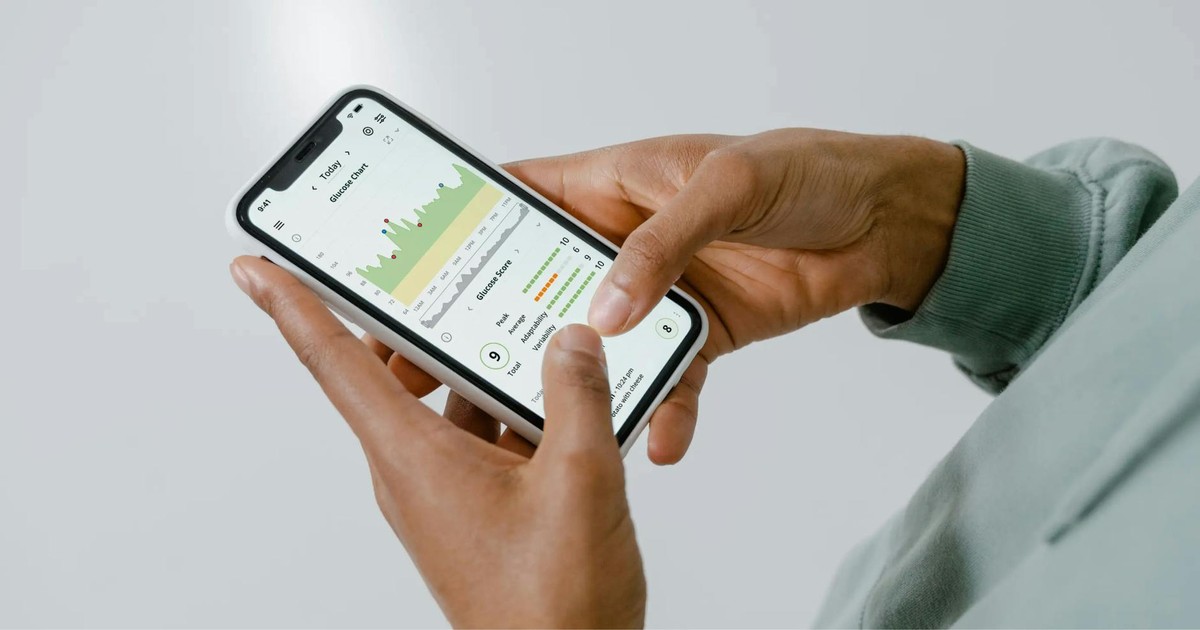
Yuka is a free app that scans cosmetics and food products and rates them by nutritional quality. You take a picture of the barcode, and it tells you whether something is excellent, good, okay, or poor nutritionally. The database is massive, covering over 500,000 products.
Here’s what Yuka is actually useful for: noticing when brands you thought were healthy are actually pretty terrible nutritionally. I scanned my favorite granola bar and got a “poor” rating because it has way more sugar than I realized. For actual decisions, it’s great. For everything else, it’s kind of just entertainment.
Bevel is a skincare app that costs $4.99 per month. I tested it because health tracking is increasingly including skin health. It uses AI to analyze your skin through your iPhone camera and track changes over time. Does it work? It’s harder to tell with skincare because changes are slow. It’s interesting if you care about skin, but it’s not essential to your health stack.
Calm is a meditation and sleep app that costs $14.99 per month or $120 per year. It’s the biggest name in meditation apps, and honestly, it’s pretty good. If you have anxiety or insomnia, Calm has thousands of hours of meditation, sleep stories, and breathing exercises. The sleep stories are particularly good. Instead of feeling gimmicky, they actually help you sleep. I use Calm three or four nights per week when I’m stressed.
Connecting Everything: Apple Health as Your Central Hub
Here’s where the real power comes in. Every app I’ve recommended connects to Apple Health. When you use Fitness+, your workout logs to Health. When you log food in MyFitnessPal or MacroFactor, that data goes to Health. When you use Strava, your running activity goes to Health. Everything feeds into one place.
Apple Health itself is the app you should open occasionally just to see the big picture. You can see your activity rings, your steps, your distance traveled, your flights climbed. You can see your heart rate trends. You can see which apps have been feeding data into Health.
The value isn’t in any single app. The value is in having all this data in one place and being able to see patterns. You notice that your average heart rate is lower this month than last month, which might mean you’re getting more fit. You notice that you’re consistently hitting your move ring on weekdays but falling short on weekends. This kind of pattern recognition is impossible when you’re using five disconnected apps.
Here’s the practical side: you only need to set up each app once with Health. After that, the data just flows automatically. You’re not manually updating anything. This is what makes the ecosystem actually worth your time.
Building Your Personal Health Stack: What to Actually Start With
If you’re starting from scratch, here’s what I’d recommend based on what you care about.
Start with Apple Fitness+ ($10 per month) for exercise. It’s worth it, and the variety keeps you from getting bored. If you’re also running outside, add Strava free for tracking. If you’re on a budget, use the free workouts on YouTube instead of Fitness+ and just track runs with Strava.
For nutrition, start with the free version of MyFitnessPal and try it for two weeks. If you actually do the logging, you’ll know pretty quickly if it’s for you. If you make it past two weeks, think about whether the premium features ($10 per month) are worth it. Most people don’t need them. If you’re interested in more intelligent nutrition tracking, try MacroFactor ($10 per month) after you’ve gotten comfortable with basic logging.
Don’t bother with sleep tracking unless you have an Apple Watch. If you do have a watch, just use AutoSleep ($2.99 once) and stop thinking about sleep data.
If you care about meditation or sleep sounds, Calm ($14.99 per month) is worth it. If you don’t meditate and you’re just fine falling asleep, this is wasted money for you.
That’s it. That’s a solid health tracking setup. You’re spending maybe $30 per month total if you get Fitness+, MacroFactor, and Calm. You’re tracking fitness, nutrition, and stress. Everything talks to each other. It’s simple, sustainable, and actually useful.
The Tech Side: Why Some Apps Work Better Than Others
After using these apps for three years, I can tell you that the best ones share some common features. They have offline functionality so they work without internet. They sync data efficiently so your battery doesn’t drain. They have clean interfaces that don’t require a tutorial. They use your phone’s sensors intelligently without asking permission for things they don’t need.
The worst apps ask for location permission when they don’t need it. They crash occasionally. They sync data constantly, draining your battery. They have interfaces designed by committee where every feature is buried in menus. They ask you to create an account before you can even look around.
If an app feels clunky in the first five minutes, it’s going to feel clunky forever. Delete it. There’s always a better alternative.
HealthFit is worth mentioning here as a utility app that costs $3.99 once. It’s designed to fix data import issues between different health apps and Apple Health. If you’re switching between devices or having weird syncing problems, HealthFit can help. Most people don’t need it, but if you’re having technical issues, it’s there.
Common Mistakes to Avoid
Mistake one: downloading five apps that do the same thing. You don’t need three running apps. You don’t need MyFitnessPal and MacroFactor at the same time. Pick one and use it consistently. Jumping between apps means you’re never building real data and trends.
Mistake two: paying for premium features you’ll never use. Most apps have free versions that are 80 percent as good as the paid versions. Start free. Only pay if you hit the specific limitation that the premium feature solves.
Mistake three: abandoning apps too quickly. Every health tracking habit requires about three weeks of consistency before it becomes normal. Don’t judge an app after three days. Give it a month. Most people quit because they’re impatient, not because the app is bad.
Mistake four: logging everything perfectly. You don’t need 100 percent accuracy. If you log 90 percent of your meals, that’s enough to spot trends. If you log 80 percent of your workouts, that’s enough to know if you’re staying active. Aiming for perfection is the fastest way to quit.
Mistake five: using health tracking apps as a substitute for medical advice. These apps are great for general awareness and motivation. They’re terrible for diagnosing problems. If something feels wrong health-wise, see a doctor. The app can’t replace that.
What’s New for 2026: The Apps That Actually Matter
The biggest change in the last few years has been AI integration. My recommendation to you is to wait and see how this plays out. Apps are adding AI features constantly, but most of them are gimmicks. The genuinely useful AI integration is in MacroFactor’s meal recommendations and Athlytic’s training analysis. Those are things I use regularly.
Most other AI features in health apps are just nice marketing. An AI that tells you to “drink more water” isn’t actually intelligent. Focus on apps that use AI to solve a specific problem, not just to say they have AI.
Apple Health itself keeps getting better. The dashboard is more customizable. You can add more metrics to your home screen. Apple Fitness+ keeps adding new content and workout types. But the core functionality hasn’t changed. It’s still the central hub where all your data goes.
The app scene in 2026 is actually more mature than it was in 2023. You’re seeing consolidation where the good apps are getting better and the mediocre apps are disappearing. The days of random health apps popping up on the app store are over. The ecosystem has settled, and that’s good news because it means the apps that exist now are actually built on solid foundations.
Final Thoughts
After three years of daily use, my honest conclusion is that health tracking apps are useful tools, not magic solutions. They work best when you’re already interested in the thing they’re tracking. If you don’t want to run, no app will make you love running. If you have zero interest in what you eat, no nutrition app will change that. But if you’re already doing these things, the right app will give you visibility into patterns you wouldn’t see otherwise.
The apps I use now are Fitness+ for workouts, MacroFactor for nutrition, Strava for running tracking, Athlytic for fitness analysis, and Calm when I’m stressed. That’s five apps total. Everything connects to Apple Health. I spend about three minutes per day on these apps combined, and I get genuine value from all of them.
Your setup will be different from mine, and that’s fine. Start with the app that matters most to you. Get one thing working consistently. Then add something else. Build slowly, and you’ll end up with a system you actually use instead of a collection of apps you feel guilty about.
The best health tracking app isn’t the most expensive one or the one with the most features. It’s the one you’ll actually open tomorrow and the day after that. Everything else is just noise.
Frequently Asked Questions
Should I get an Apple Watch to use these health apps?
No, but it helps. Most apps work fine with just an iPhone. An Apple Watch gives you more accurate heart rate data and better sleep tracking (though still not perfect). If you already have a watch, great. If you’re deciding whether to buy one specifically for health tracking, I’d say save the money and use your iPhone instead. The jump in usefulness isn’t big enough to justify the cost unless you care about running or cycling specifically.
Which app should I start with if I only want to pick one?
Start with Apple Fitness+ if you want to exercise more. Start with MyFitnessPal free if you want to understand your nutrition. Start with Strava if you run or cycle outside. Pick the thing that matters most to your life right now. Don’t try to track everything at once. That’s how you end up using none of them.
Are these apps actually secure? What about my health data?
Apple Health keeps your data on-device by default, which is secure. When you connect third-party apps to Apple Health, you can control what data they access. I recommend being selective. Apps don’t need access to everything in Apple Health. Also, read privacy policies before using apps. Major apps like MyFitnessPal and Strava are legitimate companies that follow data protection laws. Small apps from unknown developers are riskier.
How much will all these apps cost per month together?
If you use Fitness+ ($10), MacroFactor ($10), Calm ($14.99), and Strava free, you’re at about $35 per month. If you use Apple Health with MyFitnessPal free, Strava free, and YouTube workouts, you’re at zero. The cost range is anywhere from free to $50 per month depending on what you choose. Start with free options and only pay for something if you’ll actually use the premium features.
1 thought on “Best Health Tracking Apps For Iphone 2026”